Direct Answer
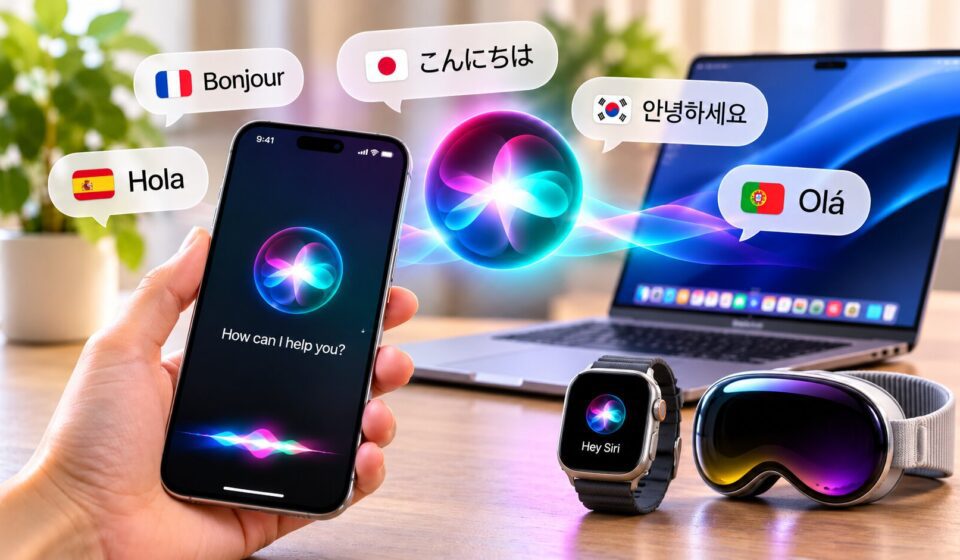
Siri AI languages now cover English, French, Japanese, Korean, Portuguese, and Spanish in Apple’s beta release. The expansion gives more users the opportunity to interact with Apple’s assistant in a supported language, but recognizing spoken words is only one part of a useful experience.
A better way to evaluate the update is to look at how Siri handles an entire interaction. Can it understand a follow-up question? Does it retain important details? Can it respond appropriately when a user changes part of a request?
These questions matter because an assistant should be useful throughout a conversation, not just when someone gives it a short command.

What the Current Language Expansion Means
Apple announced five additional Siri AI languages on October 26, 2026, alongside its 27.2 software update. The six languages currently supported in beta are:
- English
- French
- Japanese
- Korean
- Portuguese
- Spanish
Apple has also announced plans to introduce Traditional Chinese, Norwegian, Turkish, and Vietnamese by the end of 2026. Filipino is not included in the current announcement.
One important distinction is that Apple Intelligence supports more languages across certain features. However, broader Apple Intelligence language availability does not automatically mean every Siri AI capability works in those languages.
Users should therefore check the specific feature they want to use rather than assuming that general language support covers the entire assistant.
How to Evaluate Siri AI Languages in Everyday Conversations
A useful test involves more than asking Siri a single question. Try a short sequence of requests that depends on the information already discussed.
1. Start With a Clear Request
Choose an everyday topic, such as planning an upcoming event or finding information about a destination. Ask Siri a straightforward question in one of the supported languages.
Pay attention to whether the response addresses the actual request. A fluent-sounding answer is not necessarily a correct or complete one.
2. Follow Up Without Repeating Everything
Next, ask a related question that depends on the previous response. For example, if you asked about an upcoming event, ask about its location or schedule without repeating all the original details.
This helps reveal whether Siri can maintain conversational context. If you have to explain the entire request again, the interaction may require more effort than expected.
3. Change One Important Detail
Modify part of your original request. You could change a date, location, or preference and see whether Siri adjusts its response accordingly.
This is a practical way to assess whether the assistant understands the change instead of simply repeating an earlier answer.
4. Verify Before Taking Action
Even when a conversation goes smoothly, check important information before relying on it. Dates, financial details, travel arrangements, and other consequential information deserve particular attention.
For actions involving emails or photos, review the generated content and intended recipients before proceeding.
Which Siri AI Features Should You Try?
The language expansion works alongside several capabilities intended to make Siri more useful.
Conversational questions: Users can ask more natural questions and continue with related requests. This is especially helpful when a topic requires several steps of clarification.
Personal information searches: Siri AI can help locate relevant details in supported personal content, including messages, emails, and photos. Access depends on the feature, app integration, and device settings.
Actions across apps: The assistant can draft emails, edit or share photos, and perform other supported actions. Users should check the details before completing an action.
On-screen awareness: Siri can respond to questions about information currently displayed on a compatible device and perform supported actions related to that content.
These capabilities are not necessarily available in every language or region. Device compatibility and software requirements also affect what users can access.
What You Need Before Trying the New Siri AI
Siri AI is available in beta through Apple’s newer operating system releases, including iOS 27.2, iPadOS 27.2, macOS 27.2, watchOS 27.2, and visionOS 27.2.
Before trying it, check the following requirements:
- Compatible hardware: Apple Intelligence-enabled devices are required. These include iPhone 15 Pro and later, supported iPhone 16 models and newer devices, iPad mini (A17 Pro), iPads with M1 or later, MacBook Neo, Macs with M1 or later, and Apple Vision Pro.
- Matching language settings: Your device language and Siri language must be set to the same supported language.
- Regional access: Availability depends on your Apple Account region and the platform you are using.
- Beta setup: You may need to enable the available Siri AI beta option and complete the required setup. Apple also says some users may encounter a waitlist during periods of high demand.
Apple Watch requires a paired iPhone with Siri AI enabled.
Regional restrictions are particularly important. Siri AI is unavailable on iOS, iPadOS, and watchOS in the European Union, although macOS 27 and visionOS 27 are supported there. It is also unavailable to users under 13 and to users with a mainland China Apple Account region.
For the latest requirements and setup instructions, consult Apple Support’s guide to Siri AI.
Why Privacy Still Matters During Testing
Testing an AI assistant can involve personal information, so users should understand how their requests are handled.
Apple says Siri AI is built on Apple Intelligence and uses on-device processing when possible. Requests requiring server-side processing can use Private Cloud Compute, which Apple describes as a privacy-focused system designed to process requests without storing personal data.
Users should still review their privacy settings and the permissions granted to individual apps. The information Siri can access depends partly on the services and content involved in a request.
Testing conversational features does not require sharing more personal information than necessary. Start with ordinary, non-sensitive questions before trying tasks involving private messages or other personal content.
What Languages Are Coming Next?
Apple has announced four additional languages for the end of 2026:
- Traditional Chinese
- Norwegian
- Turkish
- Vietnamese
This planned expansion could make Siri AI accessible to more people who prefer using their everyday language with technology. However, Apple has not announced a Filipino-language release date.
It is also worth remembering that a language announcement does not guarantee that every feature will become available at the same time. Device, software, and regional restrictions can still affect access.
Frequently Asked Questions
How many languages does Siri AI currently support?
Siri AI supports six languages in beta: English, French, Japanese, Korean, Portuguese, and Spanish.
Does Siri AI understand Filipino?
Filipino is not included in Apple’s currently announced Siri AI language list. Apple has not provided a release date for Filipino support.
How can I test whether Siri understands follow-up questions?
Start with a simple request, ask a related follow-up without repeating the original details, and then change one part of the request. Check whether Siri retains the context and responds to the correction.
Does Siri AI work on older Apple devices?
Only compatible Apple Intelligence-enabled hardware supports the feature. Requirements vary by device category, so check Apple’s current compatibility guidance before troubleshooting.
Can Siri AI complete tasks across apps?
Yes. Supported actions include drafting emails and editing or sharing photos. Available actions depend on the device, language, app, and region.
Is Siri AI available in the European Union?
Availability is limited. It is unavailable on iOS, iPadOS, and watchOS in the EU, while macOS 27 and visionOS 27 are supported there under Apple’s stated requirements.
Is Siri AI available to children?
No. Apple states that Siri AI is unavailable to users under 13.
Final Thoughts
The expansion of Siri AI languages is an important step, but the quality of the experience depends on more than the number of supported options. Context retention, accurate responses, useful follow-ups, and reliable actions all influence whether the assistant is genuinely helpful.
Trying a few short conversations can reveal how well Siri handles everyday requests in a supported language. Before relying on it for important tasks, users should also confirm the answer and review any action the assistant prepares.
As Apple adds more languages, the key question will be whether the assistant can provide a consistent experience across different languages, devices, and regions.
Related reading: Apple Intelligence’s global release; AI voice assistants and celebrity voices.